How to Choose the Best Password Manager for Your Browser
The best password manager for your browser is Bitwarden for most users. It offers unlimited password storage, cross-platform sync, and a free tier that includes all essential features like autofill, password generation, and two-factor authentication. If you need advanced sharing or priority support, 1Password and Dashlane are strong premium alternatives. For Chrome users who want deep integration, NordPass provides a clean, fast experience. This guide breaks down the top options based on security, browser compatibility, and cost.
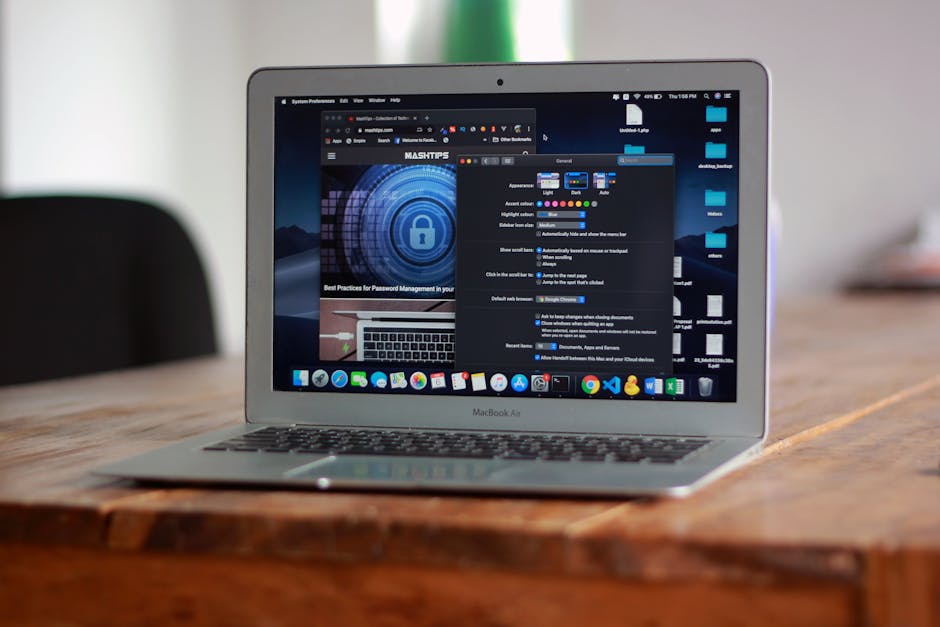
*Photo by Abdullah Bin Mubarak on Pexels*
## Why You Need a Browser Password Manager
Using the same password across sites is dangerous. A password manager creates and stores unique, complex passwords for each account. It also:
- Autofills login forms instantly
- Syncs across devices (phone, tablet, PC)
- Alerts you to weak or reused passwords
- Protects against phishing by filling only on correct sites
Without one, you rely on memory or insecure methods like sticky notes.
## Key Features to Look For
### Security & Encryption
Look for zero-knowledge architecture. This means the provider cannot see your passwords. All data is encrypted locally before syncing to the cloud. Top choices use AES-256 encryption and support two-factor authentication (2FA).
### Browser Compatibility
Your password manager must work with your primary browser. Most support Chrome, Firefox, Edge, and Safari. Check for dedicated extensions that offer one-click autofill and popup prompts.
### Cross-Platform Sync
If you use multiple devices, choose a manager with real-time sync. This ensures your passwords are updated everywhere instantly.
### Free vs. Paid Tiers
- Free plans: Usually limit devices (e.g., one device) or features (e.g., no 2FA). Bitwarden offers the best free tier.
- Paid plans: Unlock unlimited devices, secure sharing, and priority support. Prices range from $3–$10/month.
## Top Password Managers Compared
| Feature | Bitwarden | 1Password | Dashlane | NordPass |
|---|---|---|---|---|
| Free tier | Unlimited passwords, unlimited devices | 14-day trial only | 50 passwords, 1 device | Unlimited passwords, 1 device |
| Browser extensions | Chrome, Firefox, Edge, Safari, Brave | Chrome, Firefox, Edge, Safari | Chrome, Firefox, Edge, Safari | Chrome, Firefox, Edge, Safari |
| Zero-knowledge | Yes | Yes | Yes | Yes |
| 2FA support | Yes (free) | Yes (paid) | Yes (paid) | Yes (paid) |
| Password sharing | Up to 2 people (free) | Unlimited (paid) | Up to 5 people (paid) | Unlimited (paid) |
| Price (monthly) | $0 (free) / $10/year | $2.99 | $4.99 | $1.79 (first year) |
| Best for | Budget-conscious users | Families & teams | All-in-one features | Chrome/Edge users |
*Photo by Felipe Balduino on Pexels*
## Step-by-Step: How to Set Up a Browser Password Manager
### 1. Choose Your Manager
Pick from the table above. For most, Bitwarden is the safest free choice. If you want premium features, 1Password is the most polished.
### 2. Install the Browser Extension
- Go to your browser’s extension store (Chrome Web Store, Firefox Add-ons, etc.)
- Search for your chosen manager
- Click Add to Browser
- Pin the extension to your toolbar for quick access
### 3. Create Your Master Password
This is the only password you need to remember. Make it long (12+ characters) and unique. Never share it. If you forget it, your data is unrecoverable (that’s the zero-knowledge promise).
### 4. Import Existing Passwords
Most managers let you import from your browser’s built-in password manager or a CSV file. In Bitwarden:
- Click the extension icon
- Go to Tools > Import Data
- Select your source (e.g., Chrome)
- Follow the prompts
### 5. Start Using Autofill
Visit any login page. The extension will prompt you to save or fill credentials. Accept the prompt to store new logins. Over time, your vault grows automatically.
## Common Mistakes to Avoid
- Using the same master password elsewhere — defeats the purpose
- Disabling browser extension — you lose autofill convenience
- Ignoring security alerts — update weak or reused passwords immediately
- Skipping 2FA — adds critical extra layer of protection
## Which Password Manager Is Best for Your Browser?
### For Chrome Users
NordPass has the smoothest Chrome extension. It integrates with Chrome’s built-in password manager and offers a clean, fast interface. The free tier limits you to one device, but it’s ideal if you only use Chrome on one computer.
### For Firefox Users
Bitwarden is the best choice. It’s open-source, heavily audited, and works flawlessly with Firefox’s privacy-focused features. The extension is lightweight and doesn’t slow down browsing.
### For Safari Users
1Password is the gold standard. It offers native Safari integration, Touch ID support on Mac, and seamless sync with iOS devices. The paid plan is worth it for Apple ecosystem users.
### For Edge Users
Dashlane provides excellent Edge compatibility. Its built-in VPN and dark web monitoring add extra value. The free tier is limited, but the premium version is comprehensive.

*Photo by cottonbro studio on Pexels*
## Security Best Practices After Setup
- Enable 2FA on your password manager account
- Use a strong, unique master password (consider a passphrase like “correct-horse-battery-staple”)
- Regularly audit your vault — remove old or unused logins
- Backup your vault — export an encrypted backup to a secure location
- Update passwords for critical accounts (email, banking, social media) first
## Conclusion
Choosing the best password manager for your browser comes down to your needs and budget. Bitwarden offers the best free plan with unlimited features across all browsers. 1Password and Dashlane excel for premium users who want advanced sharing and security monitoring. NordPass is perfect for Chrome users who want a simple, fast extension.
Stop reusing passwords today. Install a password manager from your browser’s extension store and start securing your accounts in minutes.
For more detailed tutorials and product comparisons, visit plugintutor.tech. We help you choose and use the best browser plugins and AI tools for your workflow.